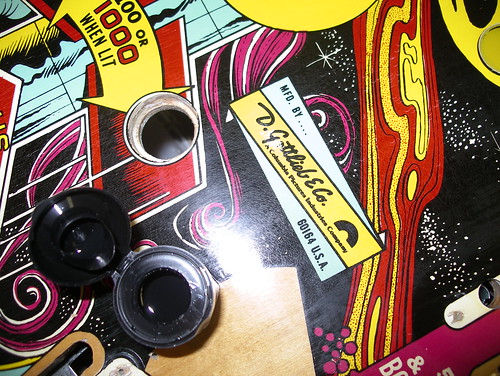
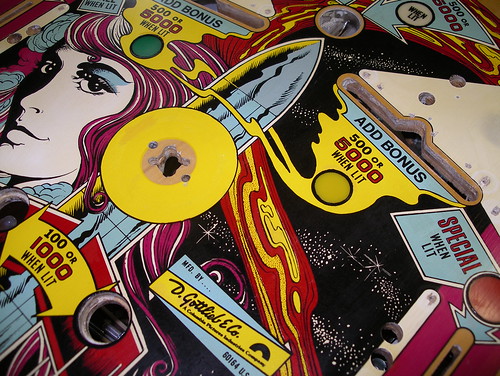
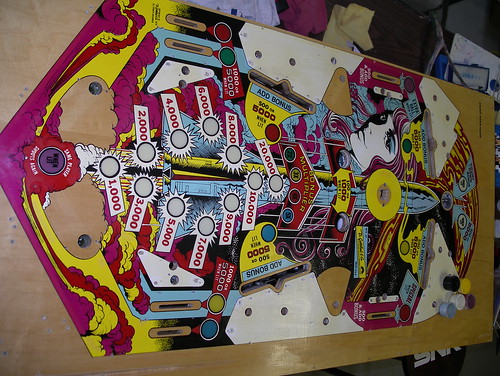
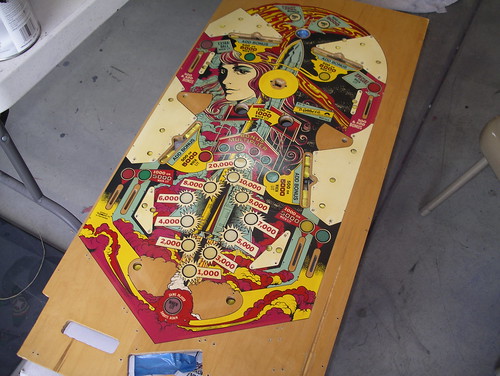
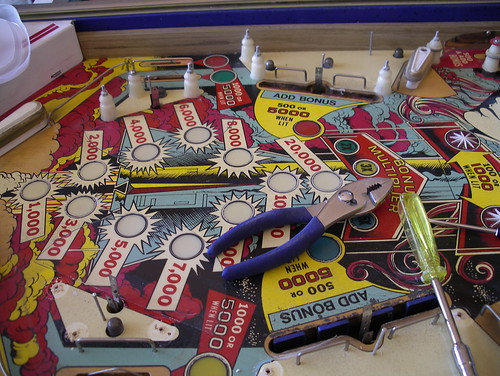
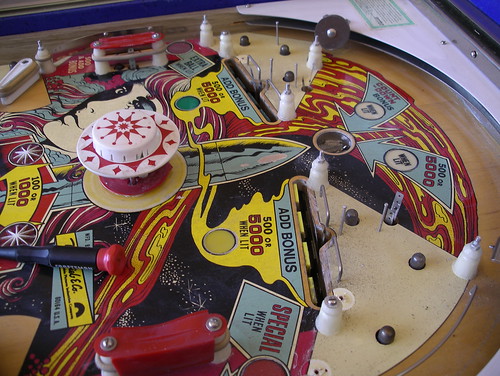
Restoring Count-Down: Finished!
As the system that straddled the electromechanical and solid state eras, Gottlieb System 1 pinball machines were, even brand new, notorious for their electronic issues, and now that the components have aged for thirty years, the potential problems have only compounded. There are very few who’d call troubleshooting a System 1 an enjoyable experience, and some techs refuse to work on the machines entirely.
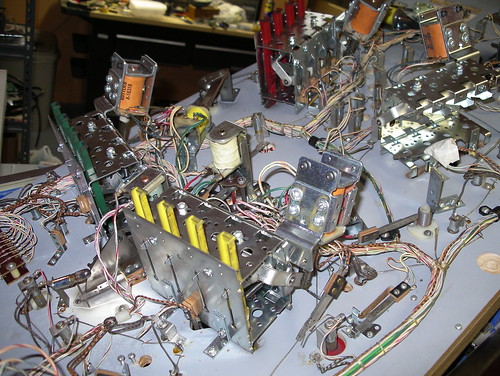
By the time I called Nick at Planet 9 Pinball, I’d rebuilt the power supply, replaced a half dozen of the transistors on the driver board, and had gotten everything up and running but the outhole kicker and a couple other troublesome bits. Unfortunately, I managed to short out the transistor on the bottom of the power supply against its bracket, setting off a minor chain reaction. This is when I called Nick.
He quickly resolved the remaining under-the-playfield issues and was able to get the machine back up and running, but while a testing low voltage issue he inadvertently discovered a bad potentiometer, shorting a handful of chips on the MPU board in the process. I replaced the bad pots, and over the course of the next week he tested and replaced MPU chips one by one until things were (mostly) back to working condition. Plans were made to source the remaining chips (for the display controllers), and Nick went on his way, vowing to never work on another System 1 game again.
[Btw, I highly recommend Planet 9, Nick's a good guy, his rates are reasonable, and he'll slog through the muck to get your machine up and running again.]
Knowing that the playfield mechanics were solid and that this machine would be living with me for years to come, I began to look into some of the more recent System 1 replacement boards developed by boutique outfits and hobbyists in the scene. I’d heard glowing reviews of a modern all-in-one board designed by Pascal Janin, and having just buffered my arcade project coffer with a few parts sales, I took the plunge and ordered his PI-1 X4.
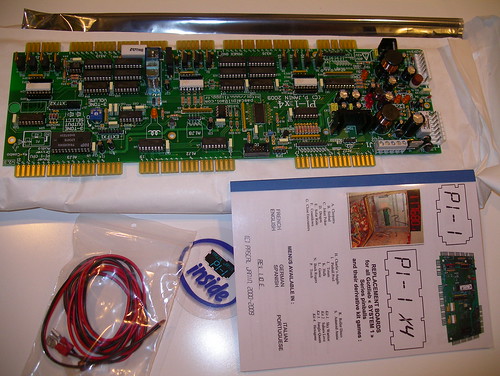
The PI-1 X4 fits into the backbox and replaces the power supply, MPU board, driver board, as well as the three-tone sound board mounted in the front of the cabinet. In addition to replicating the base game functions completely, it adds a whole mess of new features (skill shot, attract mode, free play, multiple high scores with name entry, etc), moves the stored data from battery backup to NVRAM, and corrects many of the faults of the original hardware.
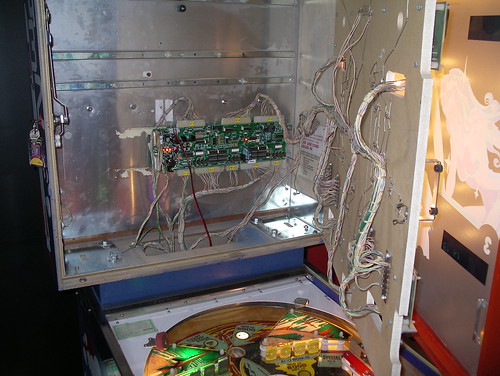
Pascal’s manual was well thought out and installation took maybe 20 minutes. After thoroughly testing everything and setting the parameters via his display menu system, I gave the playfield a quick wipedown, replaced the glass, and played my first game on the fully working machine. Man, did that feel good.
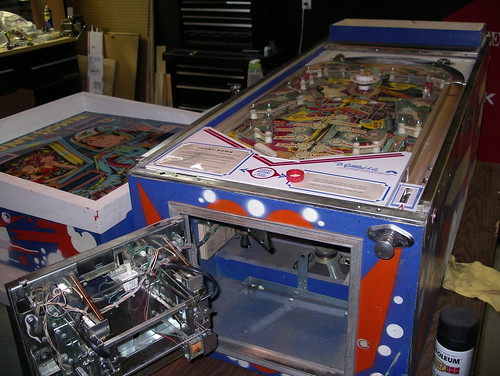
Here’s the PI-1 X4 mounted in the backbox… lots of room leftover!
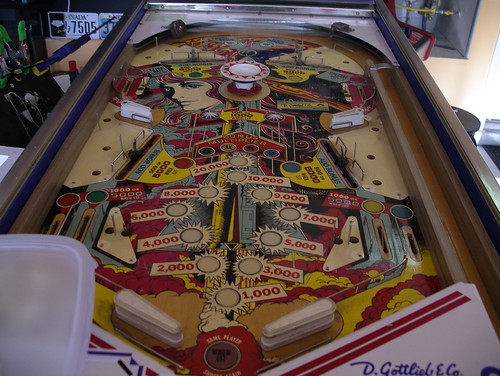
And finally, after too many hours, a lot of sweat, and a little bit of blood, here’s my finished Count-Down:
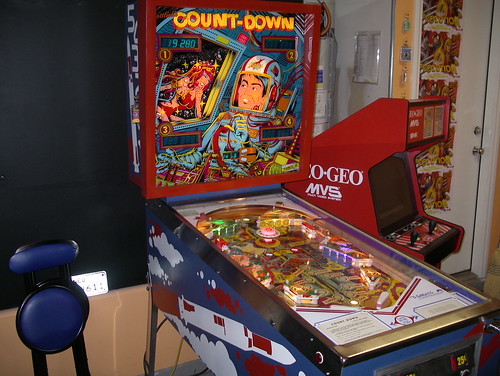
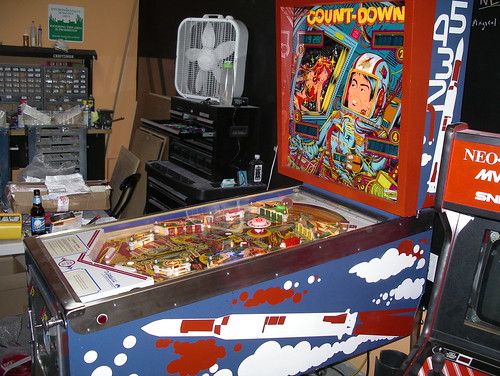
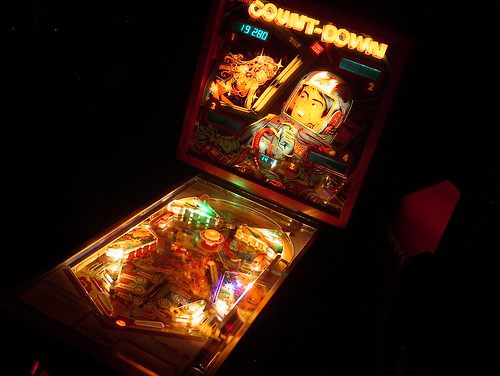
Count-Down in the dark! All new playfield lights, including colored LEDs in the inserts and behind the drop target banks:
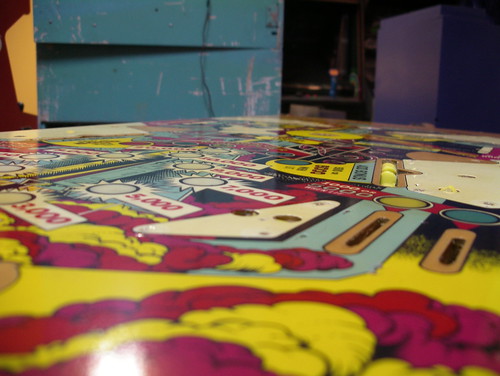
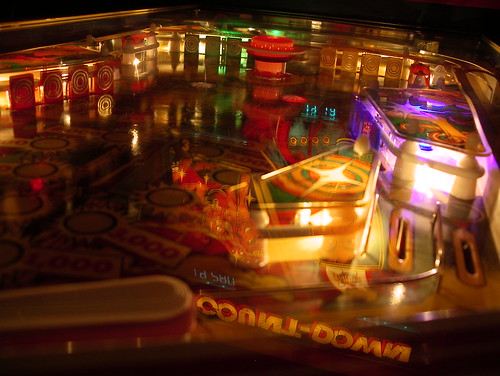
And a final gratuitous playfield closeup:
Restoring Count-Down: the cabinet.
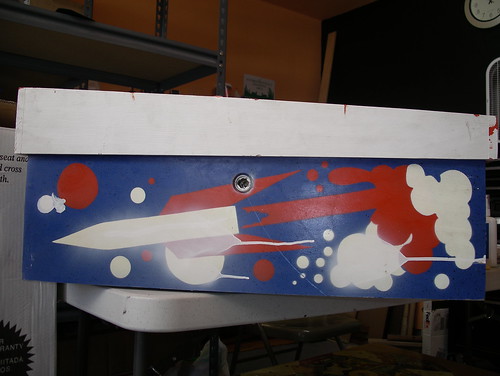
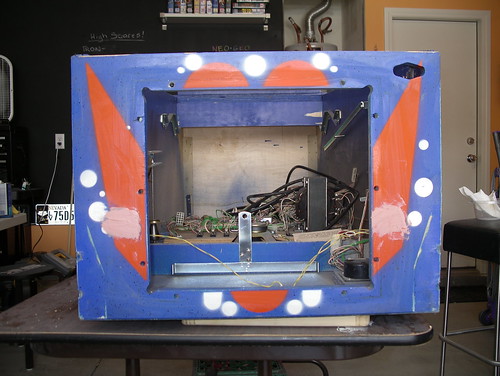
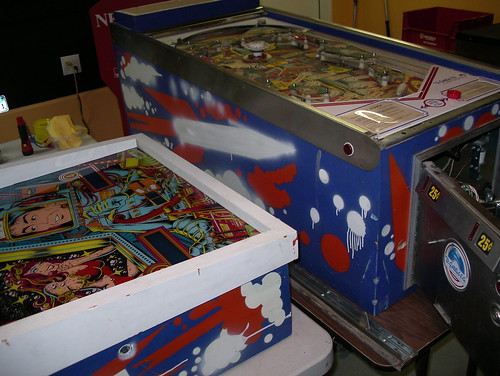
So here’s what I started with… a handful of erratic spraypaint additions and a repainted backbox surround.


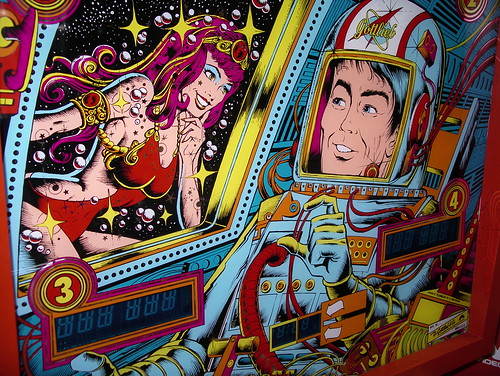
The original Count-Down stencil art is (in my opinion), the worst of all the Gottlieb System 1 games. A shame, as the playfield and backglass designs are some of the best from the era.
If you look at some of the better System 1 examples, you’ll see a much more skillful use of style and composition in the stencils. Thoughtful design, sharp and flowing edges, graphic design pieces that hold up as art on their own. Now compare those to Count-Down: rather than choosing lines carefully and pushing towards the iconic, the rocket was simply illustrated as a child would draw it (although I do like the coiling smoke of the liftoff), with cabinet front stenciling that did nothing to connect the pieces or bolster the overall theme.
So I said purists be damned, and drew up something new.
In the old days, back before the word hitchhiker became analogous to murderer, if you came across traveler with her thumb out while you were only driving a short distance, this is the gesture you’d give:

That gesture said, “hey there space babe, you’re welcome to come along, but I’m not going far,” giving your prospective hiker the chance to pass and wait out for a more beneficial riding opportunity. And in space babe terms, circling the Earth in a space station would certainly be considered short distance travel.
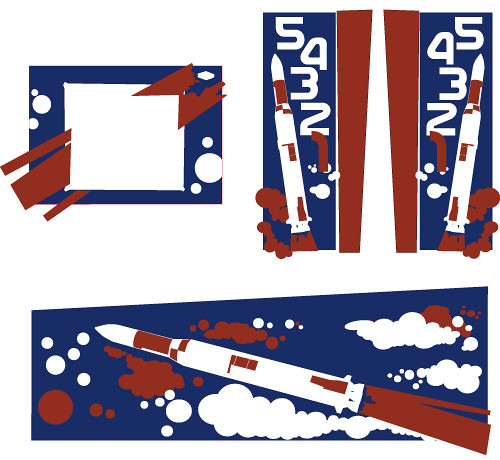
With that in mind, I themed the stencil redesign on the NASA space program of the 1970s, with a Saturn V rocket (carrying the Skylab payload), and a font based on the agency’s then-current worm logo. At the same time, I still wanted the cabinet to be recognizably Count-Down.
Here’s the final artwork, just before sending the Illustrator files off to Rich at ThisOldGame.com for reproduction.

While the addition of the numbers meant that two sets of backbox stencils would have to be made (usually, stencils on one side simply mirror those on the other), I felt it was necessary to anchor the art to the game, and to help the backbox stand out as more than just a smaller version of the main cabinet design.
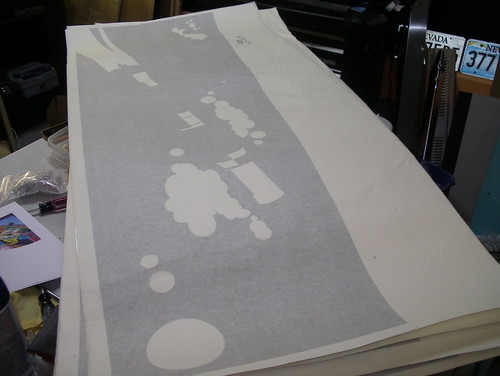
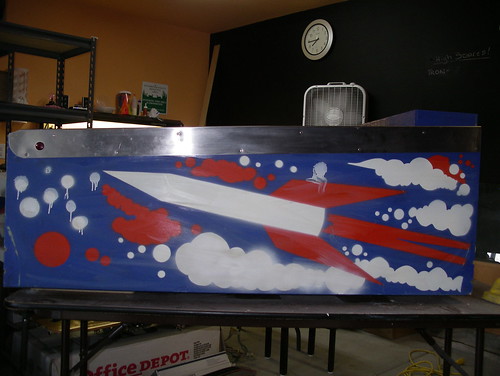
Here’s what I received in the mail a few weeks later:

Full story, after the jump »
Restoring Count-Down: Playfield
I mention this every time I write up one of these, but I can’t stress it enough… take lots of pictures! If your memory is as unreliable as mine, reference photos will save your ass when it comes to the putting everything back together stage.


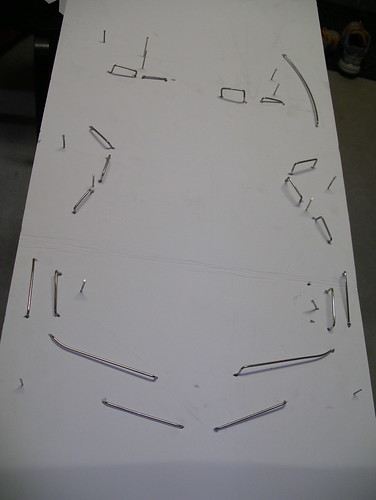
Another tip: Punch all of your rails and nails into a piece of cardboard. Even better than a reference photo.

While the playfield plastics were mostly in decent shape, they were a bit warped. A hot afternoon in the sun pressed between sheets of glass (thanks Cyberball RIP!) flattened them out nicely.

First step before touchups was to clean the hell out of the playfield. Tim Arnold recommended Turtle Wax Chrome Polish, which also came in handy for the actual chrome bits later on, and I followed that with Novus2 and Magic Eraser melamine foam (with alcohol rather than water) to pull up some of the heavy ball swirls in the paint. Be careful with the melamine foam, as too much pressure can quickly chew through your playfield.
I used water based figure paints because I’m a nerd and had some on hand, but I dunno if I’d go this route again. Coverage was sometimes a pain, and I had some minor color shifting after the clearcoat application.

The above area, after touchups. The nosecone match was a bit off, but as I ended up repainting the entire cone, it looks fine assembled.

Touchup work is very delicate and time consuming, but the end results are worth it. Maybe. I mean, I love the way the playfield turned out, and thank God for podcasts to listen to in the background, but I spent many many hours hunkered over the thing. Something I’ll treasure for the rest of my life and all that, right?

Next step was clearcoating. Clay Harrell’s pinball restoration guide was a huge help here, and I recommend referencing it if you undertake a similar project. Between that and his repair guides, you could pretty much get from beginning to end with his articles as your sole source of information.

I used Varathane semi-gloss clearcoat, applied liberally with a day or two of drying time between applications. Once I had a couple coats down, I added a round of light sanding between each coat, taking care to not tear into the layer beneath. After a total of six coats, I let it cure for a couple weeks and then took a final pass with the high grit sandpaper.
The whole clearcoating process took about a month, but the actual time requirements each week were minimal. The important part is having someplace for the playfield to dry where it won’t attract dirt and contaminants.
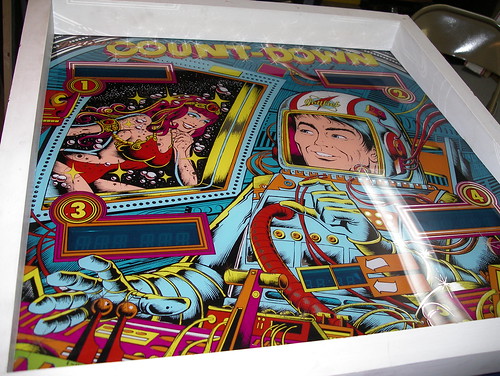
Shiny!

Next: restenciling the cabinet.
Filed under pinball, restoration | Comment (1)Restoring Count-Down
I’ve been attempting to alternate project difficulty levels with the arcade restoration queue, partly for financial reasons (the pain in the ass projects also tend to be the most expensive), and partly to stagger the overall punishment thrown my way. With the relative ease of the Neo-Geo MVS and Missile Command projects, I figured it was time for a doozy.
Pinball fascinates me — not only did those guys (and as far as I can tell they were all guys) have to contend with standard aspects of game design such as gameplay, pacing, and theme, they had a slew of mechanical engineering and physics issues to deal with on top of ‘em. I wanted a project pinball machine, something I could tear apart, learn a little bit about, and restore. Earlier this year, I found it: a 1979 Gottlieb Count-Down. Cosmetically rough, but complete. The game wouldn’t start (not unusual for a System 1, as I’ve learned) and had electrical and mechanical issues, but that’s part of the fun, right?
Here’s the cabinet as I began the initial cleanup and teardown.

Past owner touchup number one: several thick coats of latex white on the normally orange backbox. Luckily, aside from a few errant paint drops, the backglass itself was in fantastic shape.

Past owner touchup number two: spray can + lack of restraint =

While the playfield wear wasn’t horrible, the insert rings, the rocket cone, and a handful of other detail areas could all use repainting. There were lots of ball swirls to work out, too.


Next up, playfield touchup.
Filed under pinball, restoration | Comment (0)Madonnas come home.
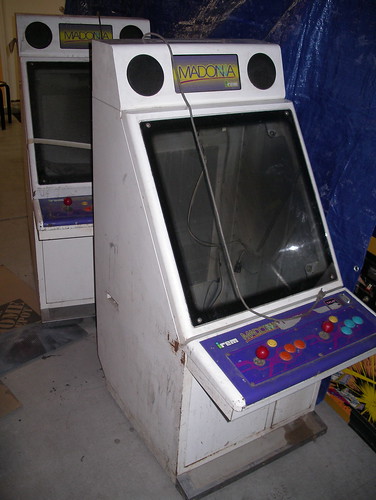
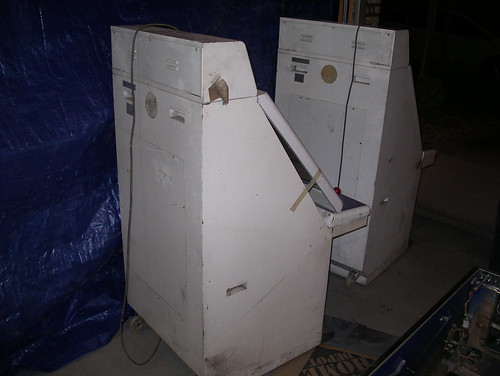
Picked these up locally today: two Irem Madonnas, Japanese candy cabs from the late 1980s. They look to be in fairly rough shape, but neither is dented or damaged, so they should be one of the easier restoration projects on deck.


Compared to other candy cabs, there’s relatively little information about these online. Guess not too many of em made it over to the States. Next step is tracking down a couple decent 25in monitors.
Filed under arcade, crap I buy, restoration | Comments (3)MC restoration: the what not to do post.
Okay, art time. The creases were especially fun to deal with, and — exacerbating the issues below — the arcadeshop sideart was thinner than the exceptional quality stuff that Phoenix Arcade puts out.

A little paint and some light sanding on mounting brackets and exposed bolts makes a world of difference.

I mentioned this part in the last post, but here it is in more detail. As the original side art was applied bare and the surface (minus areas I patched) still appeared to be in good shape, I figured I could get away with applying the new side art the same way. Unfortunately, the process of laying and lifting the art pulled up tiny bits of particulate, marring the smooth surface. Here’s a closeup of the results in the sunlight:

Hot tip! Never skimp on surface preparation. Seriously. Annoying lesson to learn after spending so much time cleaning up the rest of the cabinet. A couple coats of primer and a good sanding would’ve gone a long way.
Speaking of screw ups, I managed to stretch out the front of the control panel overlay as I was lifting it to remove an air pocket, resulting in some noticeable creases. I should’ve just used a pin. Sigh.
Overall, the cabinet does look a bit better now that everything has settled, especially when it’s not being hit with direct light.

Monitor, harness, coin door, and boards installed… it powers up (and makes the low wah wah wah sound), so that’s a start! Time to troubleshoot the guts.

Missile Command restoration
Okay, time to get back into gear and finish up the Missile Command cabinet restoration. Last time I posted about it, I’d just rebuilt and polished the Trakball. Here’s what’s happened since then.
Unlike the TRON, the original Missile Command sideart peeled right off, albeit in many little pieces. I love how the artwork has baked into the cabinet — it looks neat, and helped with aligning the new art just right, too.

The cabinet was mostly solid, with the typical beat up edges and corners. A bit of bondo and a lot of sanding cleaned up most of the damage.

The original lower wood piece had been through hell, so I used it as a basic template and made a replacement.

Post paint and prep work. In hindsight, I really should’ve put more time into the sides of the cabinet. I figured that since the original side art was placed on bare wood, and since the wood was apparently in good shape, that I could get away with doing the same with the reproduction artwork. Unfortunately, every time I had to lift the side art during placement, it’d pull up miniscule bits of wood, marring the smooth surface. A proper coat of paint or two would’ve prevented that.

The Missile Command side art sat rolled up in a shipping box through spring, so, much to the annoyance of my wife, I flattened it out over a couple of weeks on the dining room table. Note the creases, they were especially fun to work out during application.

Arcade coin bucket / cash box reference.
One of the joys of arcade collecting and restoration is tracking down the proper cashboxes (also known as coin boxes, coin buckets, etc) for individual cabinets. While popular styles did come to the front as the industry progressed, there were no standards in the early days, and a multitude of coin door and cashbox designs were introduced as a result.
Here’s my attempt to make the Quest for the Proper Cashbox a little bit easier. As this is just a start, please reply with corrections, additional manufacturers and cabinets that use the listed boxes, and images and info about cashboxes that aren’t below, and I’ll continue to update the list.
Special thanks go to KLOV member modessitt for the initial images that are seeding this list.

1) Found in: Asteroids, Battlezone, Missile Command

2) Found in: Asteroids Deluxe, Centipede, Tempest

3) Found in: Atari Early 1980s Over/Under cabinets, Dig Dug, Kangaroo, Missile Command (mini), Space Duel

4) Found in: Atari Mid 1980s Over/Under cabinets, Atari System 1 cabs, Star Wars (UR, CP)

5) Found in: Early Midway cabinets, Tron, Ms. Pac-Man, Spy Hunter, Satan’s Hollow, Kick

6) Found in: Later Midway cabinets, Galaga, Pac-Man, Rally-X, Space Encounters, Wizard of Wor

7) Found in: Centuri cabs, Gyruss, Round Up, Vanguard

8) Found in: Taito Space Invaders (CT)

9) Found in: Sega/Gremlin cabinets, Astro Fighter, Frogger, Space Firebird

10) Found in: Midway Ms. Pac-Man & Galaga (CT)

11) Found in: Early Midway cocktails w/ single slot coin doors, Galaxian & Pac-Man (CT)

12) Found in: Super Pac-Man (CT)

13) Found in: Williams cabinets, Joust, Moon Patrol, Robotron, Sinistar, Stargate

14) Found in: Bally pinball? (need to verify)

15) Found in: IREM Madonna

16) Found in: Dragon’s Lair

17) Found in: Stern Scramble
(Let’s fill in the gaps, so hit me up with what’s missing!)
Filed under arcade, restoration | Comments (3)Refreshing the Tron lower plastic.
One thing that most original Tron cabinets all have in common, aside from beat up side art, are faded plastics. After years of abuse from the blacklights, the ink desaturates and the distinct colors are lost. While there are high quality acrylic reproductions available, they are costly, and I wanted to see what I could do with materials (mostly) on hand. Thanks to Jeff Rothe, I found myself with a spare lower plastic, and it was time to experiment.
Here’s the before shot. Both lower pieces were in roughly the same condition; the original colors could be seen, but were extremely washed out when backlit. Of the highlighter colors I tested, only orange and yellow fluoresced vividly.

The tools. Rustoleum satin black (model paint was too thin), a tiny paint brush, and a new package of Bic brite liners.

My first step was to repaint all the areas where the light wasn’t supposed to shine through. This was the part that took the most time and care, as screwing up a line would be very obvious when the whole thing was backlit.
Once that was done, I let the plastics dry for several hours while Tina and I hit the gym and ate dinner. Who knew that Thanksgiving leftovers could be turned into a delicious Vietnamese meal (it’s true!).
This would be a good place for an in-progress photo, but I forgot to take one. Sorry.
The next step was pretty much like coloring in a boring coloring book. Aside from the center area, where the design gets a bit complicated, the lines were simply a matter of laying down the right color. I used the orange highlighter for the ah, orange/red parts, yellow over the green, and the not-so-fluorescent blue over the very faded blue areas.
After installed the painted plastic and swapping out the white blacklight for a regular ol’ blacklight (increasing the highlighter fluorescence), here is the final result:

Comparison photo!
Also note the fancy new GroovyGameGear reproduction handle.

Polishing balls.
My latest project cabinet is a Missile Command upright, and my plan is to get it looking and working as close to new as I can. Step one: strip it down and get that big black ball rolling smoothly again.
The upright version of Missile Command was one of the few games (along with the first Atari sports releases) to use a massive four and a half inch Atari Trak-Ball. As these things take up a fair chunk of control panel real estate, most cabinets were designed with a smaller 2.25 or 3 inch trackball. Personally, I like the big ones.
PRO TIP: A 4.5 inch trackball is exactly the same size as a candlepin bowling ball, with similar construction. Feel free to swap out your beat up Trak-Ball for a candlepin ball with a skull embedded in it and save yourself a couple hours of polishing time.
PRO TIP: I didn’t even know candlepin bowling existed until last week.
Filed under arcade, nostalgia, restoration, video games | Comments (3)